
I’m currently developing a small application in Next.js that will be protected with a rather typical OAuth 2 login flow. The login part will most likely be delivered last-minute by an external team, and will most likely be based on Azure Entra Id.
Therefore, I decided to mock the login flow to help me develop and authentication and authorization even before I have all the building blocks ready. But I think it might stay useful even later, to help set up automated testing or a shortcut login path in development environments.
I’ll briefly share my experience here, along with a code sample. I hope that it might be a good starting point for a similar quest, saving you some time 😊
Selected tech stack
Here’s the setup I work with, with some reasoning behind the choices:
- next.js: I tested on v15.3
- next-auth: I selected this library because it seems popular, well-documented, with good track record. I use v4 and not v5 (also known by its new name Auth.js) because v5 is still not marked as stable.
- oauth2-mock-server 8.1.0: it’s one of the easiest oauth mock tools to find. It seems trusted coming from AXA, and seems still maintained from time to time.
Since I wanted to host the OAuth2 Mock service online (to have it available for our online dev/test environments), I selected Azure App Service with containers to host the oauth2-mock-server app.
Solution
Here is a code snippet showing how I set up the server:
// filename example: mock.js
import { OAuth2Server } from 'oauth2-mock-server';

const server = new OAuth2Server();

// Simulate that we receive some custom claims in both access token and ID token
server.service.on('beforeTokenSigning', (token) => {
    const isAccessToken = 'scope' in token.payload;
    const isIdToken = 'aud' in token.payload && !isAccessToken;

    if (isAccessToken) {
        console.log('Adding claims to the access token');
        token.payload.sub = 'ABC123';
    }

    if (isIdToken) {
        console.log('Adding claims to the ID token');
        token.payload.sub = 'ABC123';
        token.payload.given_name = 'Robert';
        token.payload.family_name = 'Shephard';
        token.payload.email = '[email protected]';
    }
});

await server.issuer.keys.generate('RS256');
// Uncomment and adjust to host in Azure App Service as a docker container
//server.issuer.url = 'https://CENSORED.azurewebsites.net';
await server.start(80, '0.0.0.0');

console.log('OAuth 2.0 Mock Server running at:', server.issuer.url);
console.log('Configuration URL:', `${server.issuer.url}/.well-known/openid-configuration`);Code language: JavaScript (javascript)
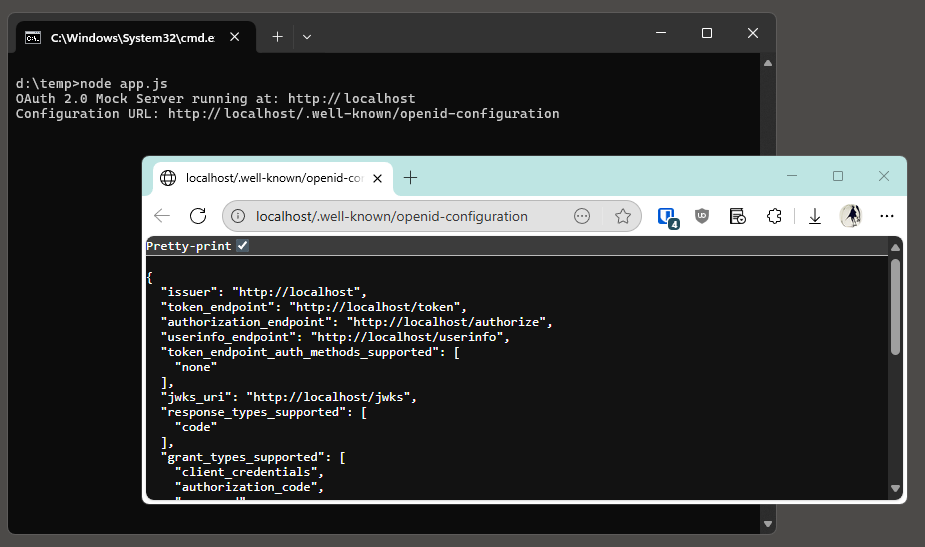
Start and test with:
npm install oauth2-mock-servernode mock.js- go to an URL like
https://localhost/.well-known/openid-configurationto confirm the mock server is running
Learnings
Here are some thoughts I have after setting this up:
- I’m not entirely sure if using mock server saved me time compared to setting up a real authentication server.
It took me a few hours to figure out the setup, proper deployment, and how to reliably customize the mock to add custom claims. Maybe it would be simpler to just set up a real server Azure portal? But I haven’t explored that path so I cannot compare the effort. - On the other hand, it’s a good way to learn a bit about the OAuth2 API, and get a refresher on how it differs from OIDC, what’s the difference between access_token and id_token etc.
- The next-auth library seems like a solid choice. I like that it is super flexible and supports dozens of providers out-of-the-box. I like to know it’s a tool that I can use in wide range of projects. In the past I used MSAL and nextjs-auth0, which were tied to specific OAuth2 providers.
I suspect this setup might offer some convenience in development, especially if the team developing Identity Management solution turns out to be hard to reach. Good luck!